Chat & Voice Search
Search travel options through text chat or voice. Give users another way to begin their search through a conversational interface alongside the standard search forms.
Sell travel through your own branded website. Choose customer, agent, distributor or corporate modules, with SRDV-connected inventory or your own supplier APIs, for India and global markets.
A white label travel portal is a readymade booking platform that a travel business uses under its own name, logo and domain. It brings selected travel services, user accounts and booking controls into one website, without developing the whole platform from the beginning.
SRDV Technologies configures the portal around how you sell travel. Serve travellers directly, work with agents, build a distributor network or manage corporate bookings. Start with the modules you need and discuss additional services as your business grows.
Explore newly added tools for easier travel search, booking support and business management. We continue to improve the portal as new capabilities become available.
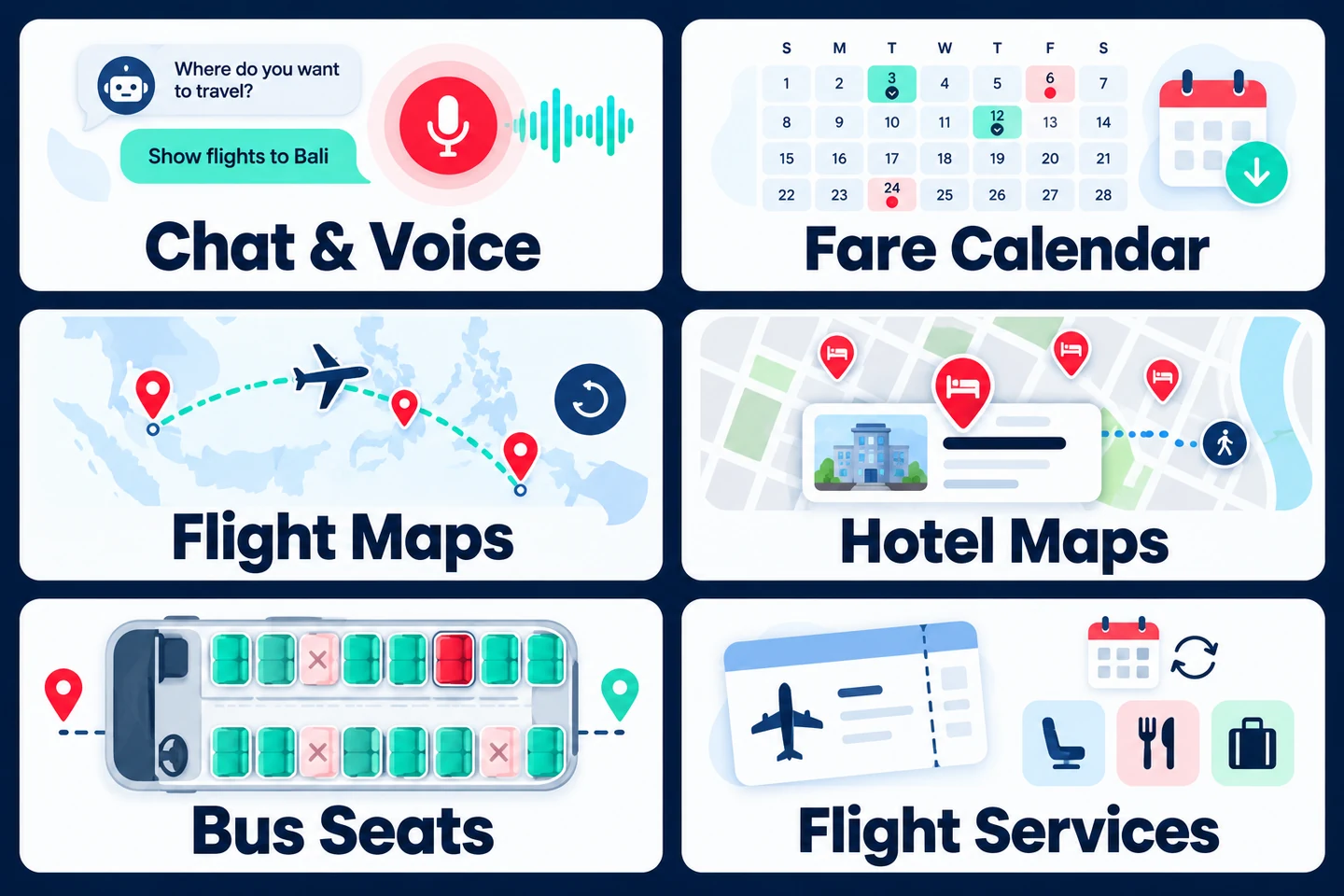
Search travel options through text chat or voice. Give users another way to begin their search through a conversational interface alongside the standard search forms.
Compare available flight fares by date in a monthly calendar. Admins can highlight selected festivals for departure and arrival airports, helping users plan their travel dates. Fares may change before booking.
View the origin, stops and destination on a flight route map. Review journey segments and layover times, watch an animated route replay, or use zoom and satellite views. Open the route in Google Maps. Nonstop, connecting and return journeys are supported, with a full-screen mobile view.
Compare hotel locations, prices and ratings on a map, then select a hotel directly. Search by area or locality and explore nearby hotels with estimated walking or cab travel times. Advanced area and nearby search support SRDV, Embark, TBO, TJ and GRN hotel connections.
Choose seats inside search results while keeping your filters. View decks, seater and sleeper options, women-designated seats and per-seat fares. Select boarding and drop-off points in the same panel. Preview the bus journey on an animated road map with stops, timings, distance and next-day arrival markers.
Manage eligible date changes and reissues, review fare differences, and add supported seats, meals or baggage after booking. Pay applicable charges online or through your wallet. Available for supported DSA, B2C and B2B setups using SRDV API, TBO or TJ; supplier eligibility and fare rules apply.
Set hotel and bus markups and discounts, and manage DSA markups. Adjust commercial settings from the admin panel to support your pricing approach and sales channels.
Look up recharge operators and available plans. Signed-in users can fetch supported postpaid bills. Available categories include electricity, hospital bills, credit cards and FASTag. Operator lookup and plan fetch are charged separately from the base recharge API.
Organise enquiries, schedule follow-ups and track leads through a visual pipeline. Move leads across stages with a drag-and-drop board and configure the settings your team needs. Lead Management is a paid add-on.
Explore travel lead managementManage blog posts, customer testimonials and activity content from your admin panel. Keep useful information and customer feedback up to date as your services and content change.
Available features depend on your selected modules and supplier connections. Ask us to confirm the features, integrations and additional charges included in your quotation.
Choose one model or a combination that matches your sales channels.
Sell directly to travellers. Customers search enabled services, review prices, enter traveller details, pay through available options and access booking information.
Explore B2C white label websitesLet approved agents book for their customers. Manage accounts, markups, wallet or credit settings and sales reports from a central panel.
Explore B2B white label portalsSell through distributors and their agents. Set access, pricing and account controls across the agreed network levels while monitoring business activity.
Explore distributor white label portalsHelp authorised corporate users arrange business travel. Discuss company accounts, employee access, approvals, credit controls and reports for your corporate clients.
Explore corporate travel portalsSelect modules for your market. Available products and booking actions depend on your suppliers and selected setup.
Search flights, compare fares, review baggage and fare conditions, and complete supported reservations and ticketing.
Explore flight booking systemsShow properties, rooms, prices and cancellation terms. Let users choose a stay and follow the supported reservation process.
Explore hotel booking systemsSearch routes, review schedules, choose seats where supported and book with the connected bus provider.
Review bus booking optionsOffer car rental or cab services from selected providers, with clear vehicle details, journey requirements and charges.
Review car booking optionsArrange supported airport or local transfers. Collect pickup, drop-off and passenger details for the available vehicle options.
Explore transfer API integrationAdd supported mobile recharge, DTH recharge and bill payments. Confirm available operators, payment categories and markets during setup.
Use the content management system (CMS) to update itineraries, inclusions, images and package details. Collect enquiries or use the agreed booking flow for your holidays.
Explore holiday package managementPresent local tours, activities and sightseeing. Use supplier booking or an enquiry and confirmation process for each product.
Explore tour and sightseeing toolsChoose practical controls for your team and the people who book through your portal.
Use your business name, logo, colours and domain. Give customers and agents a consistent experience on desktop and mobile, with the agreed pages and content controls.
Manage accounts and permissions for your selected model. Approve agents, control access and keep each user connected to the right bookings and account information.
Set supported markups, fees, discounts and agent-level pricing. Review how supplier prices and your charges appear to customers or agents before you start selling.
Connect an agreed payment gateway and configure wallet or credit controls where needed. Track payments and balances, with a clear process for top-ups and adjustments.
Find booking records, supplier references and available tickets or vouchers. Manage supported change and cancellation requests, with manual follow-up where the supplier requires it.
Review bookings, sales, transactions and agent activity from your admin panel. Choose reports that help your team monitor daily work and follow up pending bookings or payments.
Travel inventory means the flights, rooms and other services available to book. APIs connect your portal to supplier prices and booking services. Choose SRDV-connected inventory, your own supplier APIs or both.
Use inventory through SRDV connections for your selected services. Review market coverage, commercial terms and available booking functions with our team.
Connect your approved supplier accounts and APIs, or combine them with SRDV-connected inventory in the same portal.
Understand supplier API integrationChoose by how much you need to change the booking experience and business workflows.
Swipe horizontally, or focus the table and use the arrow keys, to compare all columns.
| Approach | Starting Point | Best Fit |
|---|---|---|
| White Label Portal | Existing platform configured with your brand and selected modules. | Agencies whose requirements fit the available features and integrations. |
| Custom Development | A project shaped around your agreed design, workflows and integrations. | Businesses needing specialised functionality beyond the available white label setup. |
Take your requirements through to a portal your team can operate.
Share your users, market and services. Review available modules and confirm your first launch requirements.
Prepare your logo, colours, domain and content. Review the customer or agent screens for your model.
Set up inventory, payments, pricing and permissions. Prepare supplier credentials and approvals where required.
Review bookings, payments, account access and mobile use. Complete the agreed training and launch checks.
Discuss optional content modules alongside your booking services.
Publish country-wise visa information, required documents and processing guidance. Your team can keep these details up to date through the content management system (CMS).
Update agreed website pages, holiday descriptions and customer information. Confirm which fields your team can edit and who will maintain them.
We provide a requirement-based quotation. The delivery schedule follows your agreed setup.
Services, business models, APIs, payments and custom changes affect the estimate. Ask which setup, third-party and recurring charges apply.
View Travel Portal PricingBranding, supplier credentials, payment approval and testing affect launch readiness. Agree hosting, training, maintenance and support responsibilities before going live.
Request your portal quotationSimple answers about branding, services, inventory, pricing and launch.
Your setup can include a branded website, selected booking services, accounts, pricing controls, payments and an admin dashboard. The quotation confirms your modules, integrations and support.
Yes. Use your business name, logo, colours and domain. Branding and content options are agreed for your setup, with screens designed for desktop and mobile browsers.
Yes. Discuss a combined customer and agent setup, with distributor and corporate modules also available. We confirm the accounts, pricing rules and booking access for each selected model.
Yes. Use SRDV-connected inventory, your own approved supplier APIs or both. These connections determine available products, markets and supported booking and post-booking actions.
Options include flights, hotels, buses, cars, transfers, utility and bill payments, Holidays CMS and activities. Choose relevant modules; available suppliers and coverage are reviewed during setup.
The price depends on services, business models, integrations and custom requirements. Contact SRDV Technologies for a requirement-based quotation with the included setup and applicable ongoing or third-party charges.
The timeline depends on branding, content, supplier access, payments and testing. We agree the schedule after reviewing your requirements and the inputs needed from your team.
Options include chat and voice search, flight fare calendars and maps, hotel area search, bus seat and route tools, supported flight servicing, pricing controls and content management. Availability depends on modules and suppliers. Lead Management is a paid add-on; recharge operator lookup and plan fetch have separate charges.
Yes. Discuss additional modules, supplier connections and changes as your business grows. SRDV also continues to improve the platform. We review compatibility and feature access for your setup, explain any development work and confirm applicable costs and schedules before making changes.
Share your business model, services and target market. We will help you choose the setup and prepare a requirement-based quotation.
From API integration to complete booking platforms, we combine travel-industry expertise, scalable engineering and dependable support.
Share your requirement and our travel technology expert will connect with you shortly.
Secure, scalable cloud infrastructure for travel technology.